

Creator website template
A creator website template that is loud, warm and yours
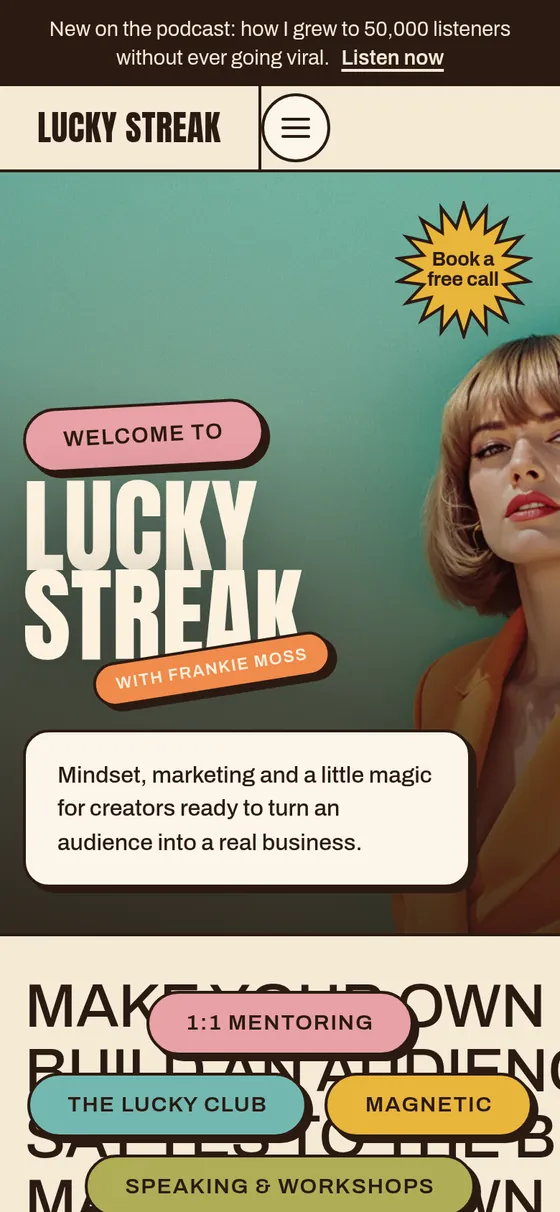
Retro, loud and warm: your name huge over a full-width photo, moving words with offer pills, a "does this sound like you?" quiz, a podcast page, a free-guide sign-up and a page for every offer, in 70s colors and big condensed type.
Made for Podcasters, course creators, content creators and mindset coaches
$20 a month or $200 a year, with hosting, SSL and updates included.

What it comes with
Seven pages, ready for your words
Every page is designed and filled with sample words and photos, so you only swap in your own. Click one to see it in the live demo.
-
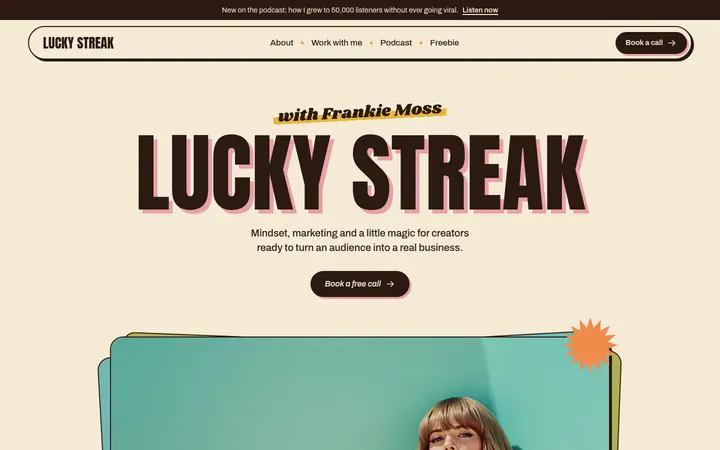 Home
Your name, your offers, the quiz, podcast, kind words and your free guide
Home
Your name, your offers, the quiz, podcast, kind words and your free guide
-
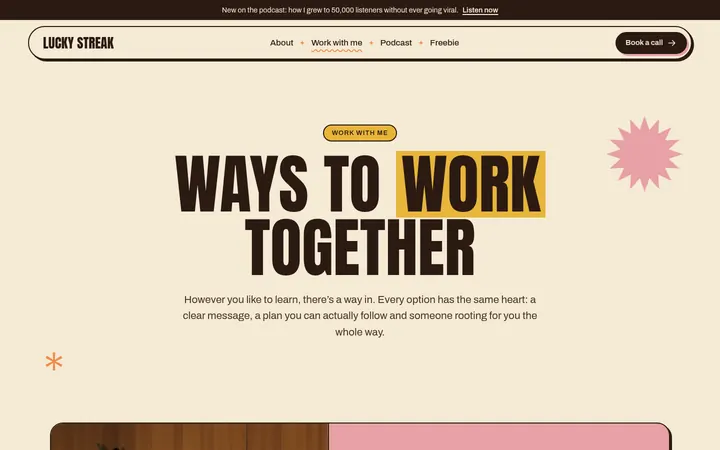 Work with me
Every way to work together, with good questions answered
Work with me
Every way to work together, with good questions answered
-
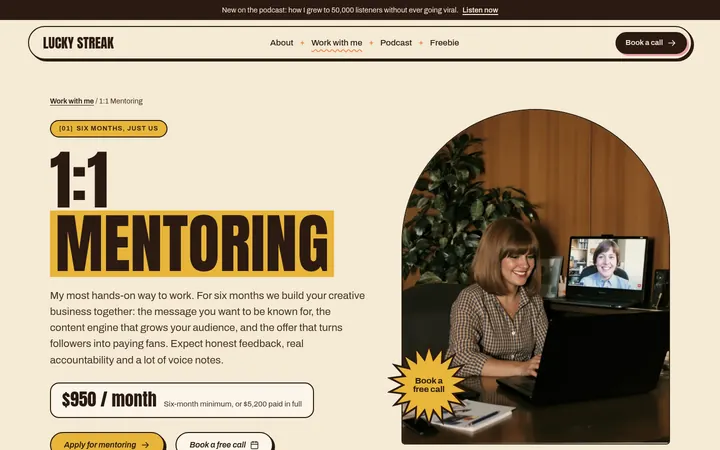 1:1 Mentoring
One offer up close: who it is for, what they get, the steps and the investment
1:1 Mentoring
One offer up close: who it is for, what they get, the steps and the investment
-
 About
Your story, what you believe and your credentials
About
Your story, what you believe and your credentials
-
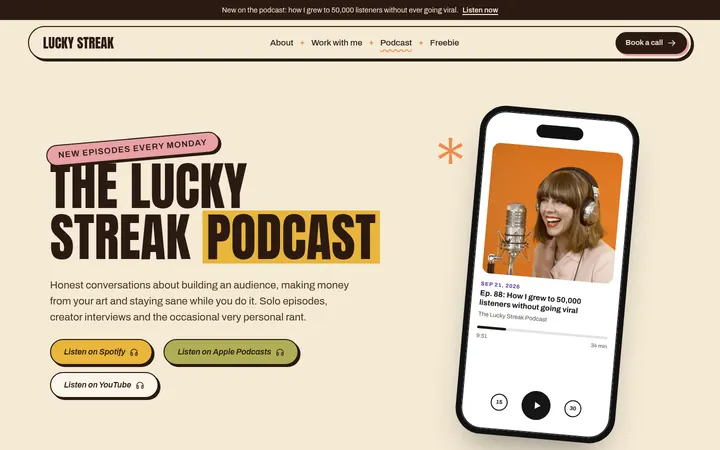 Podcast
Your latest episodes and an invitation for guests
Podcast
Your latest episodes and an invitation for guests
-
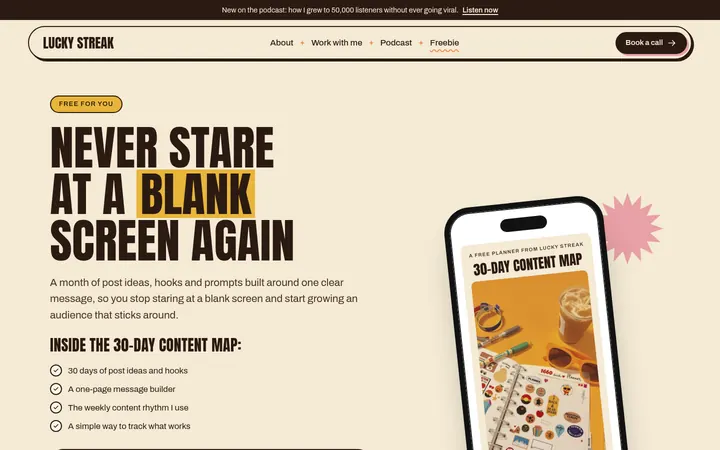 Freebie
Your free guide and its sign-up form
Freebie
Your free guide and its sign-up form
-
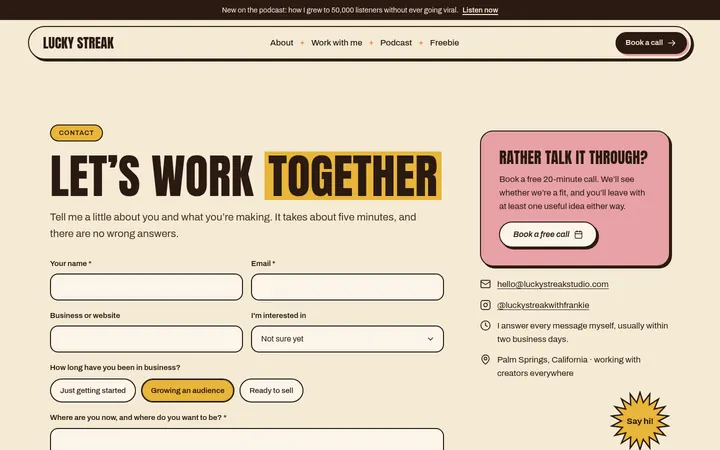 Contact
A form for people ready to work with you
Contact
A form for people ready to work with you
Features
Built for podcasters, course creators, content creators and mindset coaches
Your name over a full-width photo
A big, confident opening that says exactly who you are.
Moving words with offer pills
A ribbon of words that points straight to your offers.
Numbered offers
Mentoring, memberships, courses and speaking, each with its own page: who it is for, what they get and the investment.
A "does this sound like you?" quiz
Questions that help the right people see themselves in your work.
A podcast page
Your latest episodes, plus an invitation for guests.
A free-guide sign-up
A freebie page with a sign-up form, and a card for it across your site.
Kind words and "as heard on"
Quotes in a slider, the shows you have been on, and buttons to your Google reviews.
70s colors and condensed type
Warm retro colors and big, bold type that feel like you.
Included with every plan
- Hosting on fast, secure servers
- SSL, the padlock in the address bar
- Your own domain: buy one or connect yours
- Inquiries emailed to you and saved in your account
- Made for phones, tablets and computers
- Search basics: page titles, descriptions and a sitemap
- Accessible design, tested against WCAG 2.2 AA
- Google review buttons from one link
- No plugins or updates to manage
- Cancel any time
How editing works
Make it yours in the builder
No code and no design skills needed. You work through a few simple steps, and your site changes in the preview as you go.
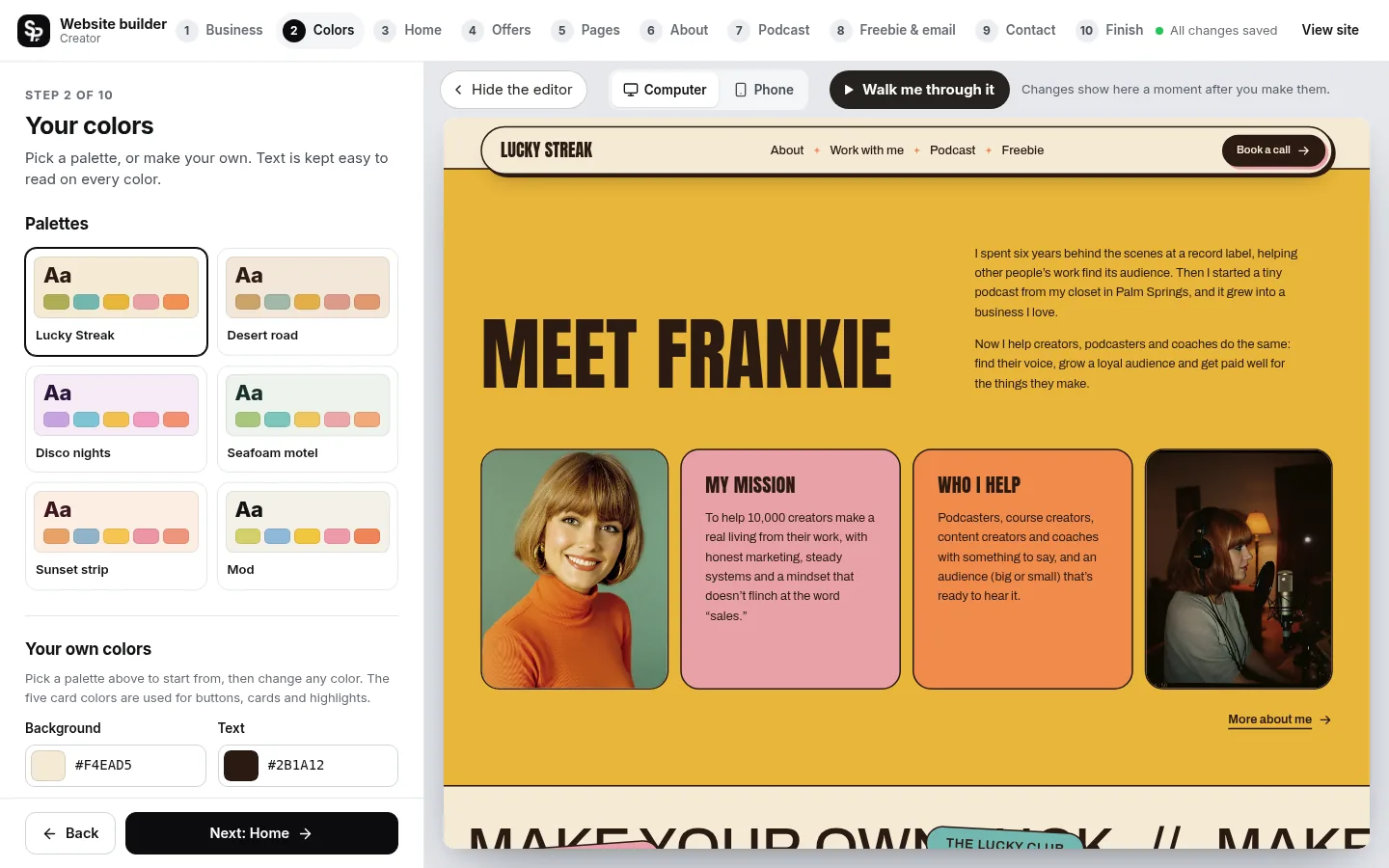
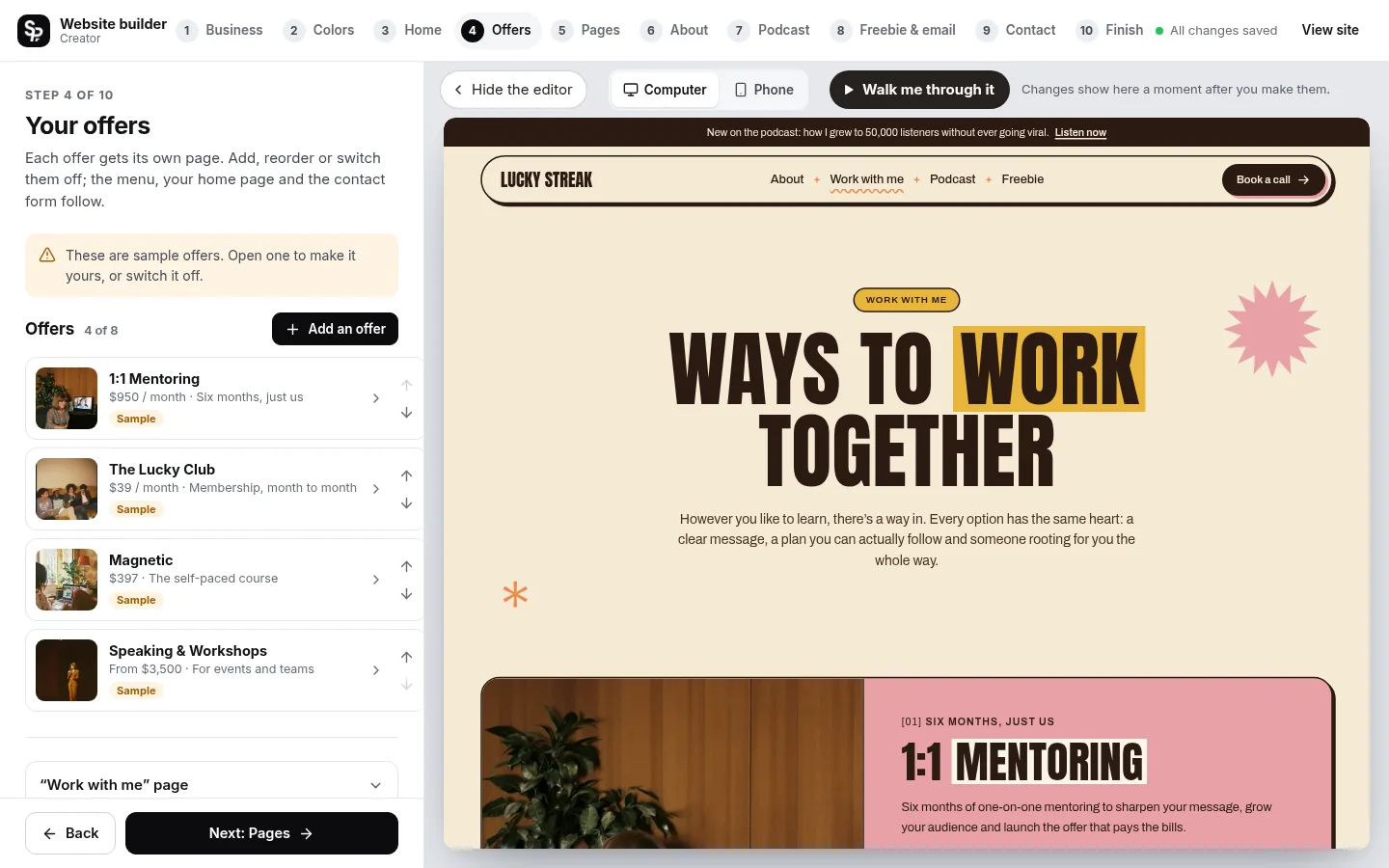

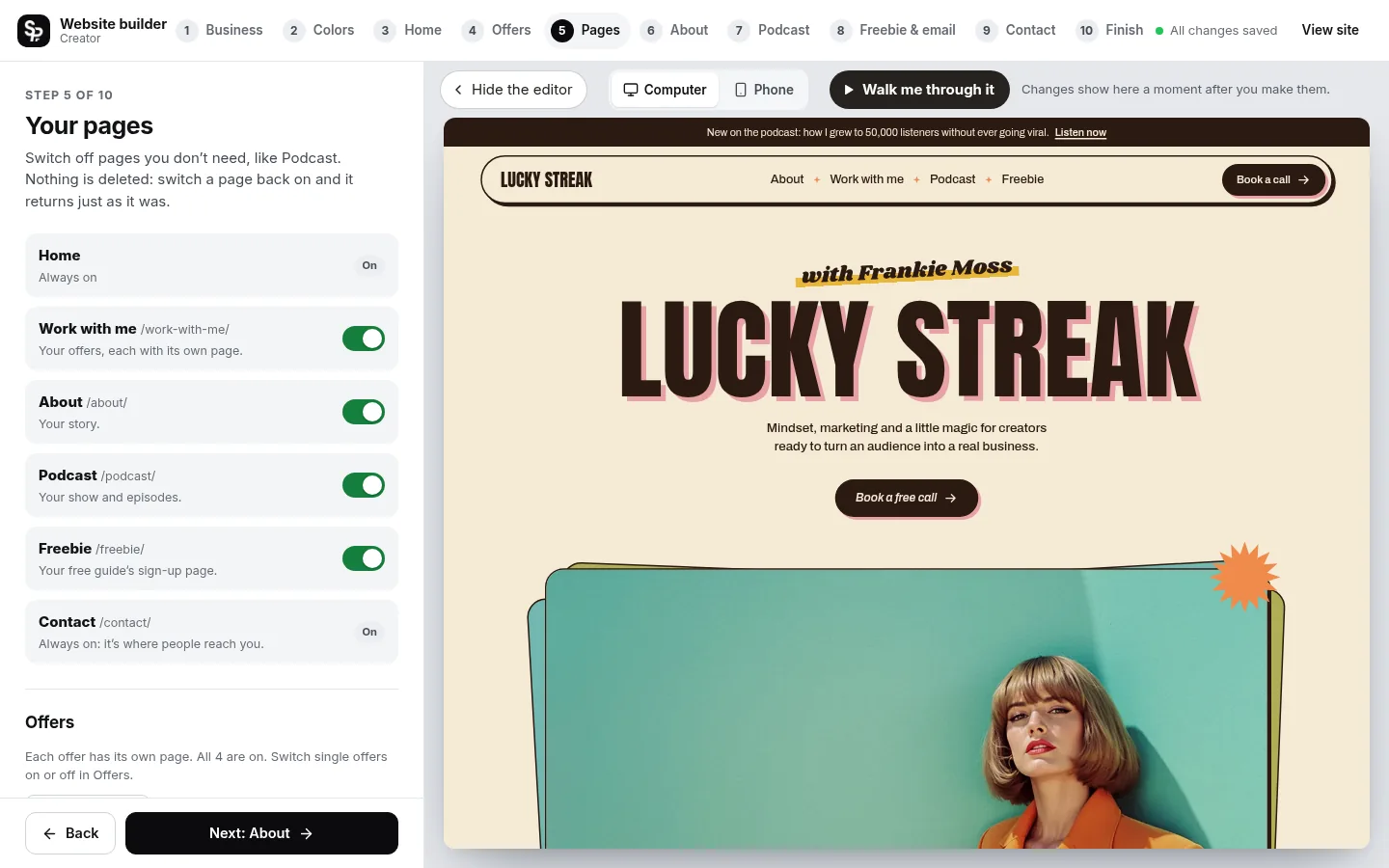
- Saves as you go Every change is saved for you.
- See it as you go Watch your site change as you type, on a computer or phone screen.
- No fake content goes live Sample words and photos are marked until you replace them.
- Change it any time Edit and publish again whenever you like.
How it works
From template to live website
Choose your template
Pick the design you like and pay securely by card through Stripe. The builder opens right away.
Make it yours
Add your words, photos and colors in the builder. Everything saves as you go, and you see each change as you make it.
Pick your web address
Buy a new domain from your account, or connect one you already own. We set it up and add the padlock (SSL) for you.
Go live
Publish your site. Inquiries arrive in your email and your squareposh account, and you can publish changes any time.
Pricing
One simple price, everything included
-
Monthly
$20 a month
Cancel any time
Start monthly with the Creator template -
Yearly Best value
$200 a year
2 months free
Start yearly with the Creator template
Hosting, SSL, updates and your inquiry inbox are included. A new domain is extra if you buy one through us. Cancel any time.
What is the difference between Creator and Coach?
They share a layout. Creator is retro, with a full-width photo, 70s colors and big condensed type; Coach is bright and fresh, with your name edge to edge.
Can I show my podcast?
Yes. The Podcast page lists your episodes and invites guests, and your show appears on the home page too.
Does it work with Mailchimp or Klaviyo?
Yes. Connect Mailchimp, Klaviyo, Kit (ConvertKit), MailerLite, Flodesk or beehiiv with a key from your account, or send sign-ups anywhere through Zapier. Every sign-up is also kept in your builder, ready to download.
How do people get my free guide?
Upload it as a PDF or paste a link to it. Everyone who signs up gets a download button right away and an email with the guide, or you can let your own email tool send it.
Can I hide pages I don’t need?
Yes. Switch off Podcast, Freebie, About or Work with me in the builder. Nothing is deleted, so a page comes back just as it was when you switch it on again.
Do I need to know how to design or code?
No. You fill in the builder step by step and watch your site change as you go. Every word, photo and color can be changed, and nothing needs code.
How much does it cost?
$20 a month, or $200 a year (two months free). That includes hosting, SSL, updates and your inquiry inbox. A new domain is extra if you buy one through us.
Do I pay before I start building?
Yes. You choose your plan first, and the builder opens right after checkout. Your site only goes live when you publish it, and you can cancel any time.
Can I use a domain I already own?
Yes. Connect it from your account by adding two records where your domain is registered; we check them and turn on SSL for you. Or buy a new domain right from your account.
Where do messages from my site go?
Every inquiry is emailed to you and saved in the Messages tab of your squareposh account, so nothing gets lost.
Will my site show up on Google?
Every site is built with search basics: a title and description for each page, clean addresses and a sitemap. Rankings take time and depend on your content, so the more you share about your business, the better.
What happens if I cancel?
Cancel any time from your account; your plan stays active until the end of the time you have paid for. A domain you bought through us is registered in your name, and we will give you the code to move it anywhere.
Can you design a website for me instead?
Yes. Squareposh also designs custom Squarespace and WordPress websites. See our services or start a project.
More templates
Not quite your style?
-
 Trades website template
Plumbers, pool pros, electricians and every home-service business
Trades website template
Plumbers, pool pros, electricians and every home-service business
-
 Photography website template
Wedding, elopement and portrait photographers
Photography website template
Wedding, elopement and portrait photographers
-
 Beauty website template Coming soon
Lash artists, brow artists, estheticians and skin studios
Beauty website template Coming soon
Lash artists, brow artists, estheticians and skin studios
-
 Coach website template
Life and business coaches, consultants, podcasters and creative studios
Coach website template
Life and business coaches, consultants, podcasters and creative studios
-
 Shop website template Coming soon
Skincare, beauty, candle and wellness brands selling their own products
Shop website template Coming soon
Skincare, beauty, candle and wellness brands selling their own products
-
 Wedding website template
Couples getting married: one payment, online for 12 months at squareposh.com/wedding-your-names
Wedding website template
Couples getting married: one payment, online for 12 months at squareposh.com/wedding-your-names
Ready to make it yours?
Rather have it done for you? We design custom websites too.