

Beauty website template · Coming soon
A beauty website template for lash, brow and skin studios
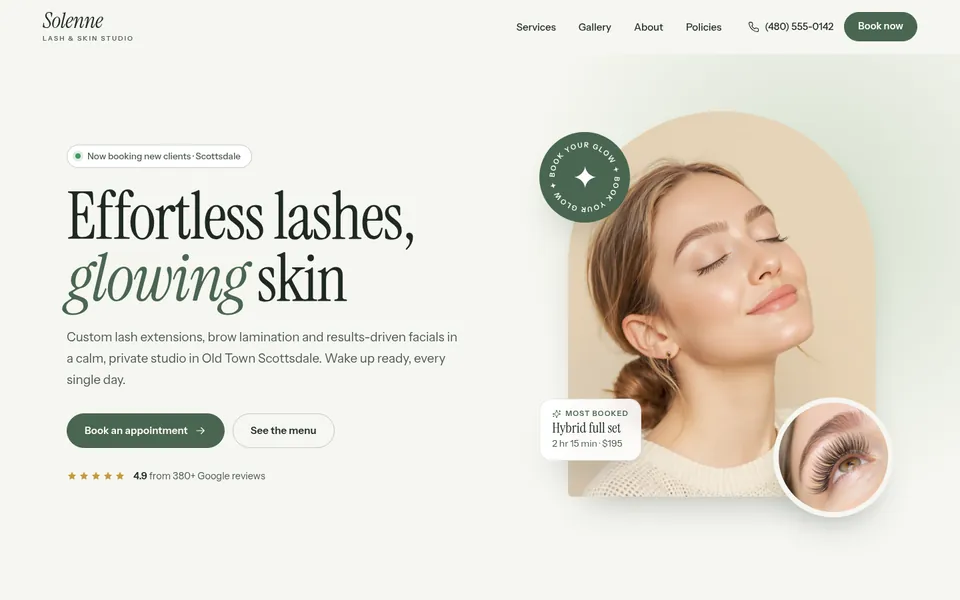
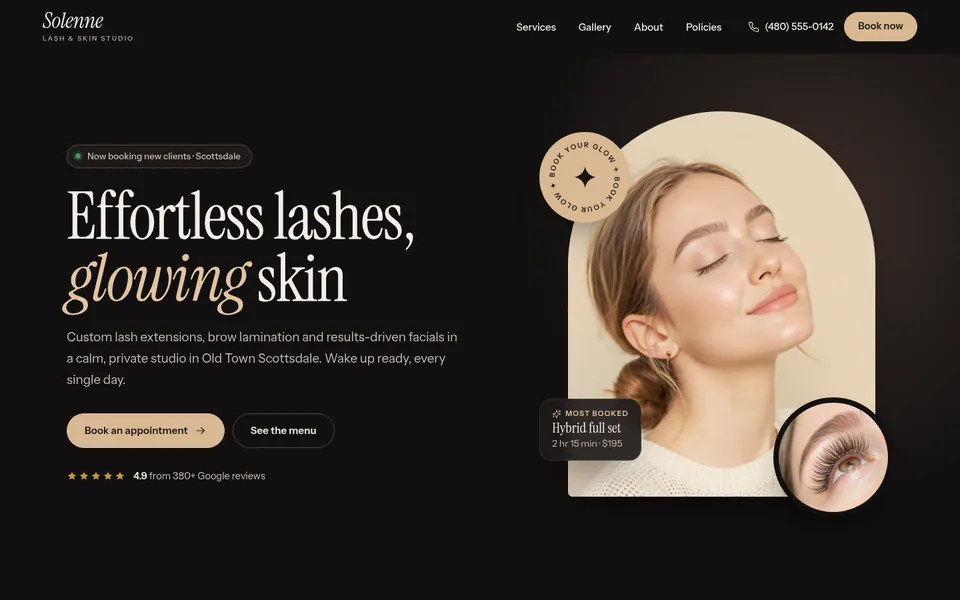
Soft, bright and a little luxe. Arched photos, a spa-style price menu, before-and-after sliders, memberships and a booking page that works with the booking app you already use. Comes in blush, sage or noir.
Made for Lash artists, brow artists, estheticians and skin studios
Coming soon. Explore the whole demo now; you’ll be able to start with it here as soon as its builder opens.

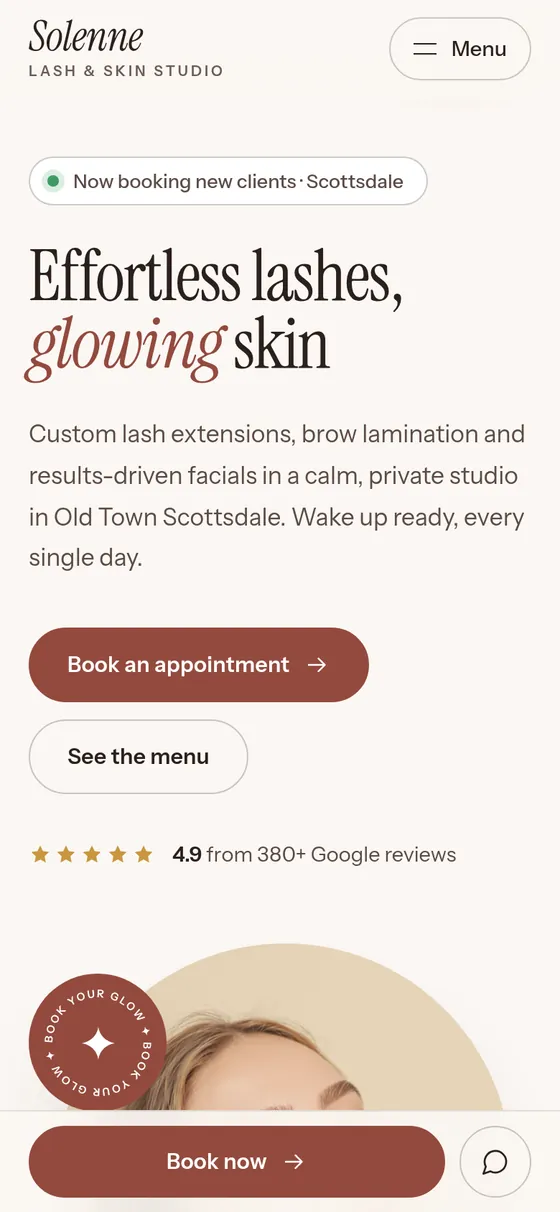
Designs
Three designs to start from
Pick the closest one. Every word, color and photo can be changed after.
What it comes with
Seven pages, ready for your words
Every page is designed and filled with sample words and photos, so you only swap in your own. Click one to see it in the live demo.
-
 Home
Treatments, results, why clients choose you, reviews, memberships and gift cards
Home
Treatments, results, why clients choose you, reviews, memberships and gift cards
-
 Services
The full menu with prices and times, grouped by service
Services
The full menu with prices and times, grouped by service
-
 Lash extensions
One service up close: every option, how the visit goes and aftercare
Lash extensions
One service up close: every option, how the visit goes and aftercare
-
 Gallery
Your latest work, filtered by treatment
Gallery
Your latest work, filtered by treatment
-
 About
Your studio, your story and your team
About
Your studio, your story and your team
-
 Policies
Deposits, notice, your first visit and aftercare
Policies
Deposits, notice, your first visit and aftercare
-
 Book
Book online through your booking app, or send a request
Book
Book online through your booking app, or send a request
Features
Built for lash artists, brow artists, estheticians and skin studios
A menu that reads like a spa
Every treatment with its price and time in a clean price menu, plus a page for each kind of service.
Booking your way
Book buttons link to the booking app you already use, and the Book page has a request form for anyone who would rather ask.
Before-and-after sliders
Show real results with a slider visitors can drag, or move with the keyboard.
Memberships
Lash, glow and brow clubs, each with its perks and price.
A gallery clients can filter
Lashes, brows, skin: visitors pick what they want to see.
Policies and aftercare
Deposits, notice, grace periods and aftercare for every service, in one friendly page.
Gift cards
A gift card band that links to where your gift cards are sold.
A Book now bar on phones
A booking button stays at the bottom of the screen as visitors scroll on their phone.
Included with every plan
- Hosting on fast, secure servers
- SSL, the padlock in the address bar
- Your own domain: buy one or connect yours
- Inquiries emailed to you and saved in your account
- Made for phones, tablets and computers
- Search basics: page titles, descriptions and a sitemap
- Accessible design, tested against WCAG 2.2 AA
- Google review buttons from one link
- No plugins or updates to manage
- Cancel any time
How editing works
Make it yours in the builder
No code and no design skills needed. You work through a few simple steps, and your site changes in the preview as you go.
Pictured: the builder with our Photography template. The Beauty builder is on its way, with steps made for lash artists, brow artists, estheticians and skin studios.
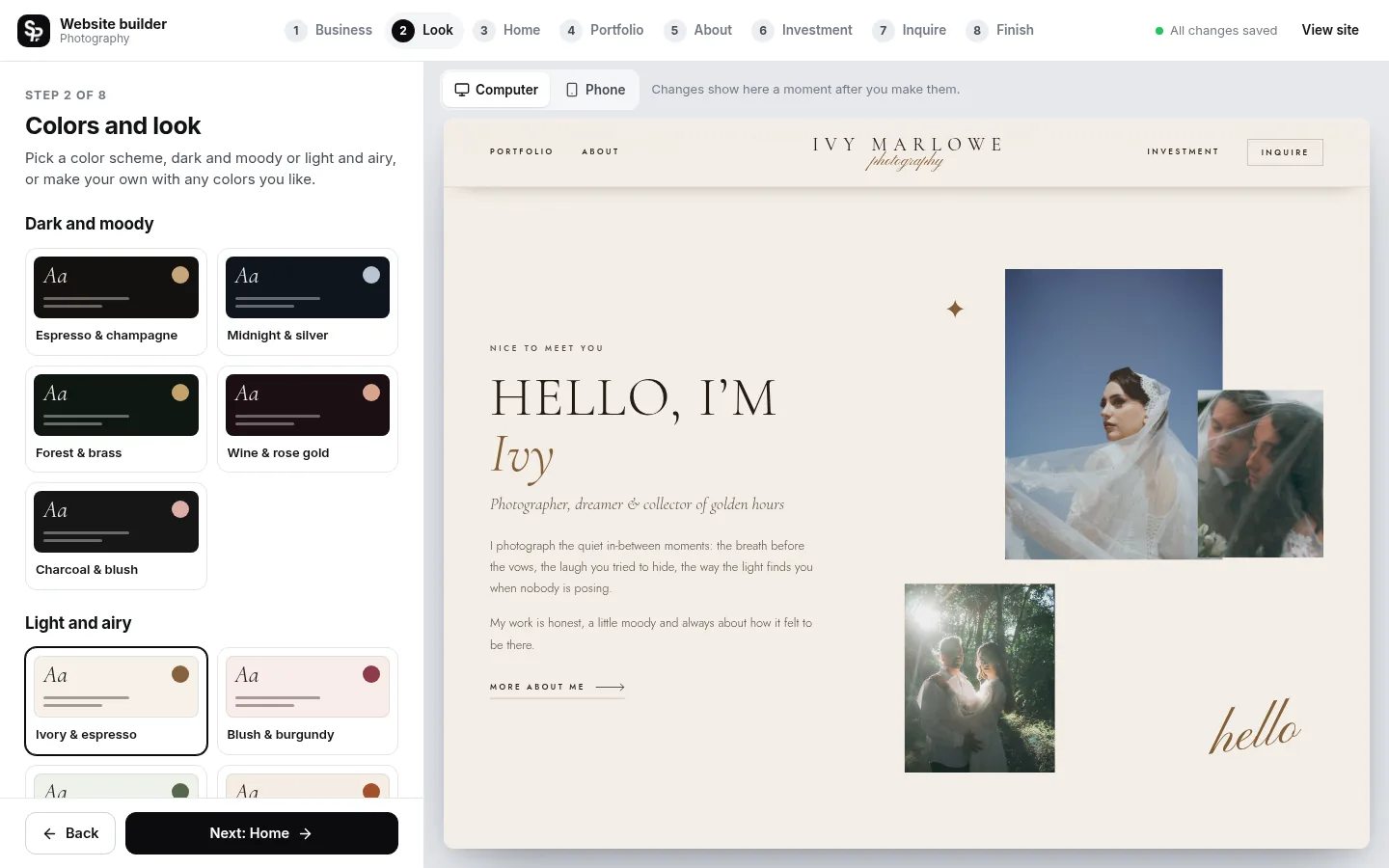
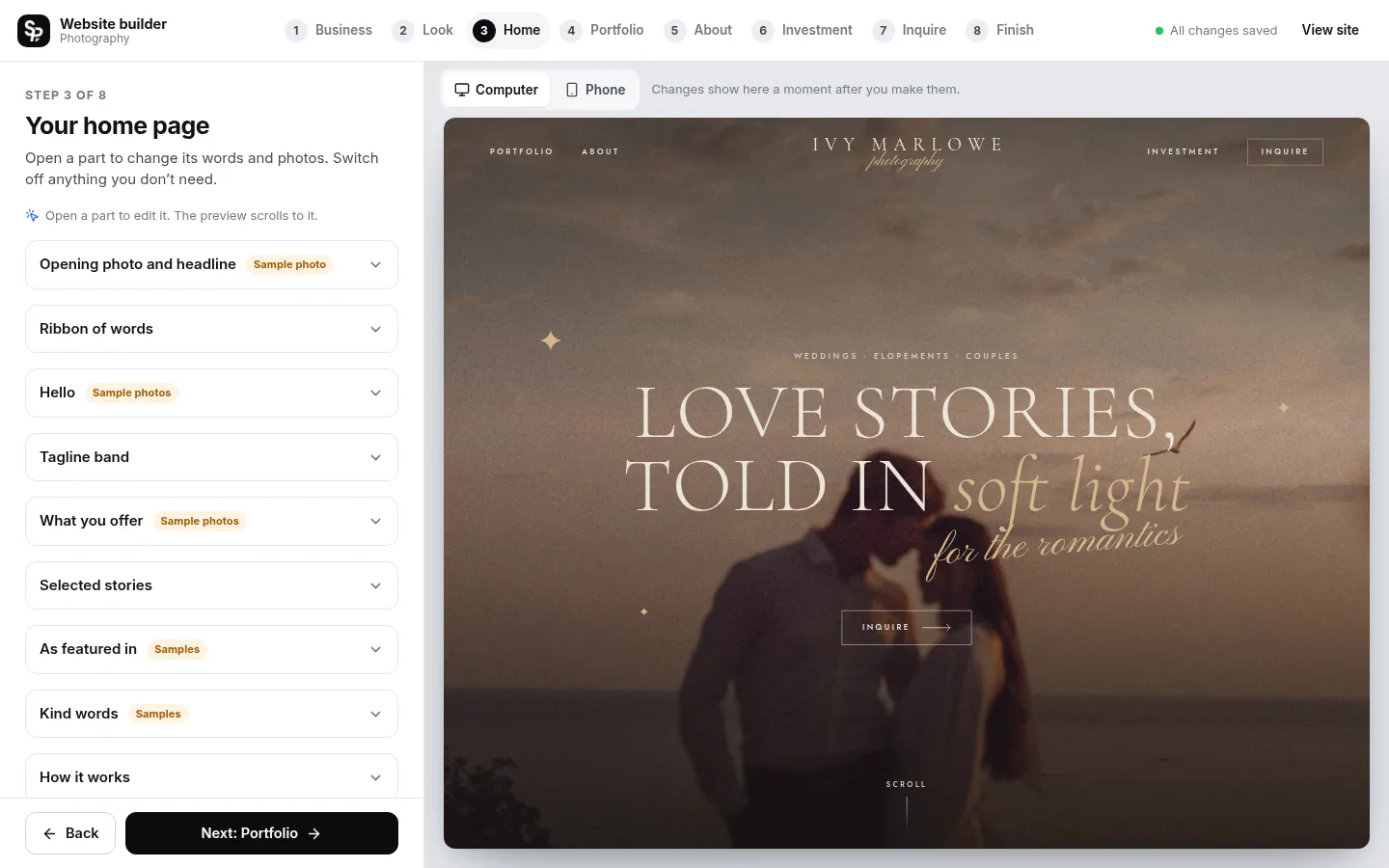
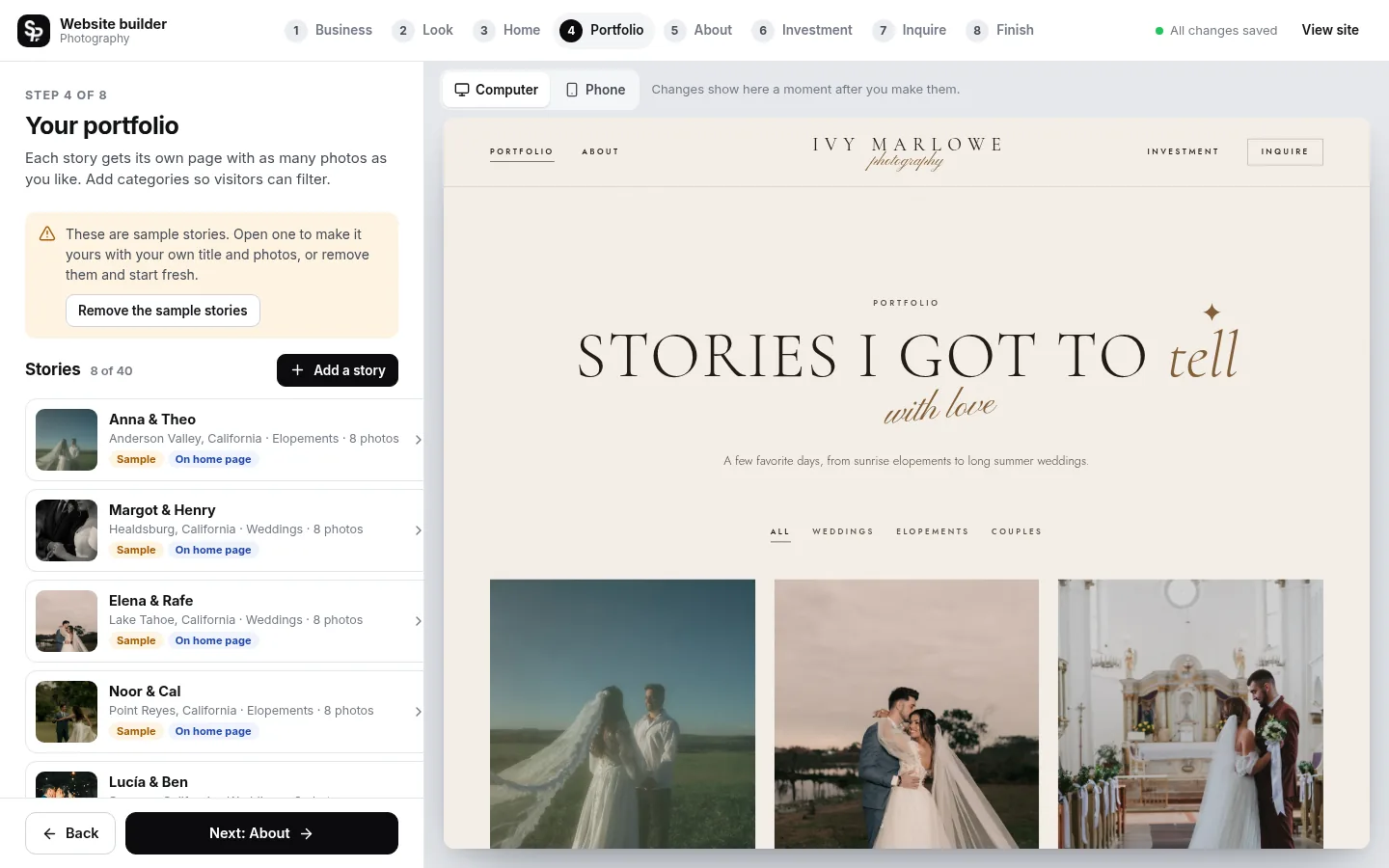
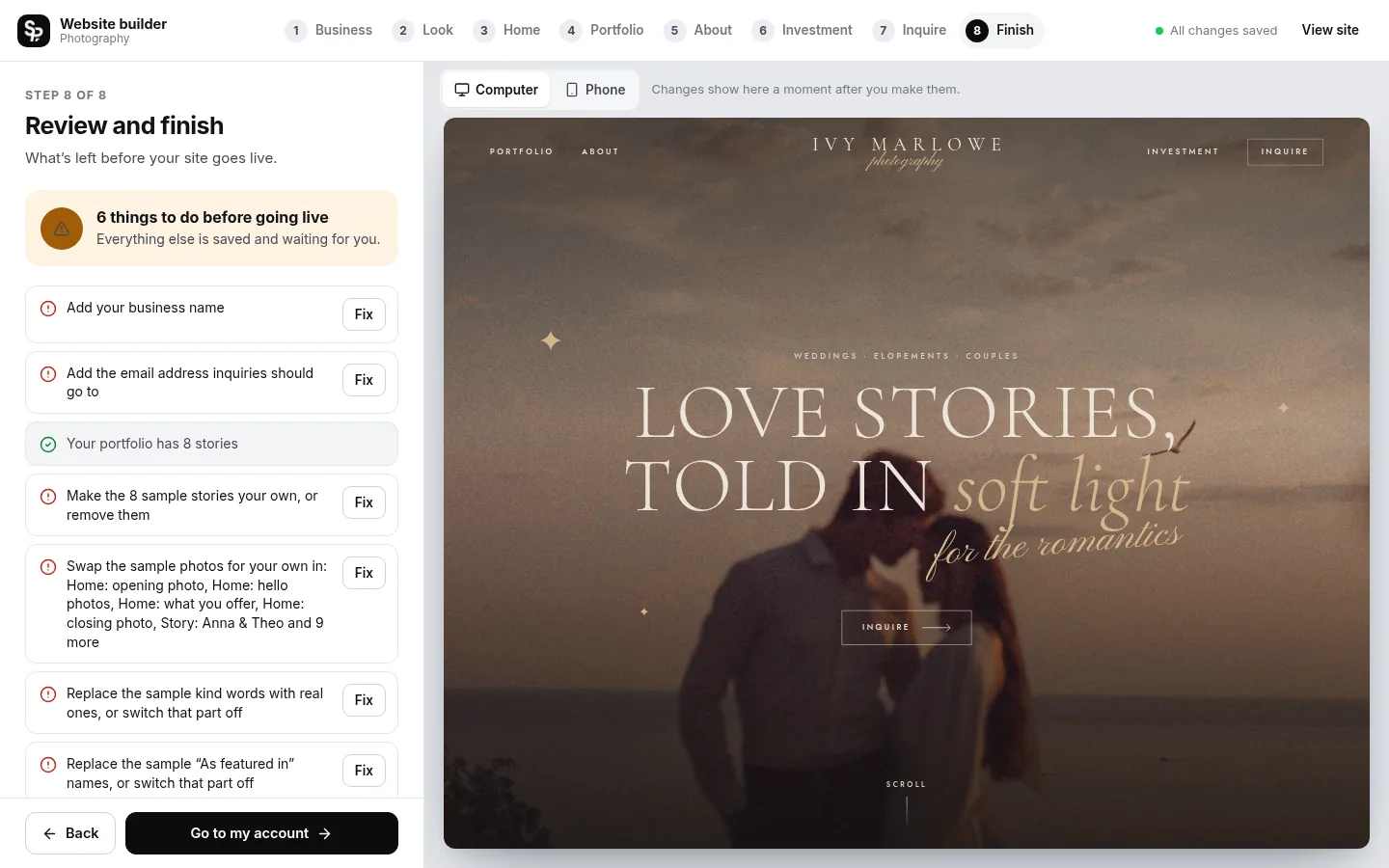
- Saves as you go Every change is saved for you.
- See it as you go Watch your site change as you type, on a computer or phone screen.
- No fake content goes live Sample words and photos are marked until you replace them.
- Change it any time Edit and publish again whenever you like.
How it works
From template to live website
Choose your template
Pick the design you like and pay securely by card through Stripe. The builder opens right away.
Make it yours
Add your words, photos and colors in the builder. Everything saves as you go, and you see each change as you make it.
Pick your web address
Buy a new domain from your account, or connect one you already own. We set it up and add the padlock (SSL) for you.
Go live
Publish your site. Inquiries arrive in your email and your squareposh account, and you can publish changes any time.
Pricing
One simple price, everything included
This template is coming soon. You can explore the whole demo now.
Can clients book online?
Yes. Your Book buttons link to the booking app you already use, such as GlossGenius or Vagaro, and the Book page also has a request form.
Can I use the sample before-and-after photos?
No. They only show the layout. Before your site goes live, you swap in your own clients’ results (with their permission).
Do I need to know how to design or code?
No. You fill in the builder step by step and watch your site change as you go. Every word, photo and color can be changed, and nothing needs code.
How much does it cost?
$20 a month, or $200 a year (two months free). That includes hosting, SSL, updates and your inquiry inbox. A new domain is extra if you buy one through us.
Do I pay before I start building?
Yes. You choose your plan first, and the builder opens right after checkout. Your site only goes live when you publish it, and you can cancel any time.
Can I use a domain I already own?
Yes. Connect it from your account by adding two records where your domain is registered; we check them and turn on SSL for you. Or buy a new domain right from your account.
Where do messages from my site go?
Every inquiry is emailed to you and saved in the Messages tab of your squareposh account, so nothing gets lost.
Will my site show up on Google?
Every site is built with search basics: a title and description for each page, clean addresses and a sitemap. Rankings take time and depend on your content, so the more you share about your business, the better.
What happens if I cancel?
Cancel any time from your account; your plan stays active until the end of the time you have paid for. A domain you bought through us is registered in your name, and we will give you the code to move it anywhere.
Can you design a website for me instead?
Yes. Squareposh also designs custom Squarespace and WordPress websites. See our services or start a project.
More templates
Not quite your style?
-
 Trades website template
Plumbers, pool pros, electricians and every home-service business
Trades website template
Plumbers, pool pros, electricians and every home-service business
-
 Photography website template
Wedding, elopement and portrait photographers
Photography website template
Wedding, elopement and portrait photographers
-
 Coach website template
Life and business coaches, consultants, podcasters and creative studios
Coach website template
Life and business coaches, consultants, podcasters and creative studios
-
 Creator website template
Podcasters, course creators, content creators and mindset coaches
Creator website template
Podcasters, course creators, content creators and mindset coaches
-
 Shop website template Coming soon
Skincare, beauty, candle and wellness brands selling their own products
Shop website template Coming soon
Skincare, beauty, candle and wellness brands selling their own products
-
 Wedding website template
Couples getting married: one payment, online for 12 months at squareposh.com/wedding-your-names
Wedding website template
Couples getting married: one payment, online for 12 months at squareposh.com/wedding-your-names